Table of Contents
Are you tired of manually creating and managing invoices for your business? Would you like a more efficient and automated solution? Look no further! In this article, we will explore how to create and manage recurring invoices with WordPress, making your invoicing process more easy and streamlined.
WordPress is a powerful content management system that not only allows you to build and manage your website, but also offers a range of plugins and tools to enhance your business processes. By utilizing the right invoicing plugin, you can automate recurring invoices, saving you time and effort.
With recurring invoices, you can set up a schedule for automatically generating invoices at specified intervals, such as monthly or annually. This means you can simply set it up once and let the plugin do the work for you, ensuring that you never miss a payment from your clients.
In addition to automation, WordPress invoicing plugins often offer features such as customization options, payment tracking, and client management. This allows you to have a complete overview of your invoicing process and makes it easier to track and collect payments.
So, if you’re looking for a more efficient and automated way to create and manage recurring invoices, read on to discover how WordPress can help simplify your business operations.
Benefits of Recurring Invoicing
Recurring invoicing offers numerous advantages for businesses of all sizes. One of the primary benefits is the significant reduction in administrative workload. By automating the invoicing process, businesses can save countless hours that would otherwise be spent on manual invoice creation and management. This allows teams to focus on core business activities, such as improving customer relationships and enhancing service delivery. When invoices are generated automatically, the likelihood of human error diminishes, leading to more accurate billing and improved cash flow.
Another key advantage is the enhanced cash flow predictability that comes with recurring invoicing. Businesses can set up a schedule for payments, allowing them to better forecast revenue and manage their finances more effectively. This consistent stream of income can be particularly beneficial for service-based businesses, subscription models, or any company that relies on regular payments from clients. By knowing when to expect payments, businesses can allocate resources more efficiently and make informed decisions about future investments.
Furthermore, recurring invoicing helps in building lasting relationships with clients. It simplifies the billing process for customers, making it easier for them to manage their finances. Clients appreciate the convenience of automated payments, as it eliminates the need for them to remember invoice due dates. This convenience translates into higher customer satisfaction and can lead to increased loyalty. When clients feel valued and appreciated through a seamless invoicing experience, they are more likely to continue using your services and recommend them to others.
Choosing the Right Invoicing Plugin for Recurring Invoices
Selecting the right invoicing plugin is crucial for the success of your recurring invoicing system in WordPress. There are countless plugins available, each offering unique features and capabilities. Start by considering the specific needs of your business. Some plugins are tailored for service providers, while others are better suited for product-based businesses. Look for a plugin that provides robust features like automated billing, payment tracking, and customizable invoice templates.
Additionally, user-friendliness is an important factor when choosing a plugin. A well-designed interface can save you time and reduce frustration during the setup and management processes. Many plugins offer demo versions or free trials, allowing you to test their functionalities before making a commitment. During the trial, evaluate how intuitive the plugin is and whether it meets your invoicing requirements. It’s also worth checking for customer support options in case you run into issues down the line.
Lastly, consider the compatibility of the plugin with your existing payment gateways. A good invoicing plugin should seamlessly integrate with popular payment processors like PayPal, xendit, or Authorize.net. This ensures that your clients can easily pay their invoices online, making the entire process efficient. Read user reviews and ratings to gauge the plugin’s performance and reliability, and look for any potential drawbacks that may affect your experience.
Paymattic Pro
WP Simple Pay
JetFormBuilder PayPal Recurring Payments Addon
Invoize Pro
Setting Up Recurring Invoicing in WordPress
Setting up recurring invoicing in WordPress is a straightforward process, especially with the right tools at your disposal. The first step is to ensure that you have a WordPress website up and running. Once your website is set up, the next step is to choose an appropriate invoicing plugin that supports recurring billing features. Many plugins offer a variety of functionalities, so it’s essential to select one that best fits your business needs.
After installing the chosen plugin, you will need to configure its settings to enable recurring invoicing. This typically involves navigating to the plugin’s settings page and specifying your preferences for billing frequency, payment methods, and customer notifications. Some plugins even allow you to customize invoice templates, adding your branding elements to create a professional appearance. Once configured, it becomes easy to manage clients and their respective invoices directly from your WordPress dashboard.
Once the initial setup is complete, you can begin creating recurring invoices for your clients. Each invoice can be customized to reflect the services provided, the payment amount, and the billing cycle. After saving the invoice details, the plugin will handle the rest, generating invoices automatically at the specified intervals. This automated process ensures that you never miss sending an invoice, ultimately enhancing your cash flow and keeping your business organized.
Configuring Recurring Invoice Settings
Once you have selected an invoicing plugin, the next step is to configure the recurring invoice settings to suit your business model. Begin by accessing the plugin’s settings panel, where you will find options related to invoice frequency, payment intervals, and due dates. It’s essential to establish a clear billing schedule that aligns with your services and client expectations. Common intervals include weekly, monthly, quarterly, or annually, depending on the nature of your offerings.
In addition to the frequency of invoicing, consider setting up reminders for clients. Many plugins allow you to automate reminder emails that notify clients of upcoming payments. This proactive communication helps minimize late payments and ensures that your clients are always aware of their obligations. You can customize the content of these emails, adding personal touches or specific instructions to enhance clarity.
Lastly, review any additional settings offered by the plugin that can enhance your invoicing experience. Some plugins provide options for tax calculations, discounts, and late fees, which can be beneficial depending on your business model. By tailoring the recurring invoice settings to your specific needs, you will create a more efficient and effective invoicing process that serves both you and your clients well.
Creating and Managing Recurring Invoices
Creating and managing recurring invoices in your WordPress site is a straightforward process once you have configured the necessary settings. To create a new recurring invoice, navigate to the invoicing plugin’s dashboard and select the option to add a new invoice. You will typically be prompted to enter essential details such as client information, invoice amount, billing frequency, and any relevant notes or descriptions about the services provided.
After entering the necessary information, review the invoice for accuracy before saving it. Most plugins offer a preview feature, allowing you to see how the invoice will look to your clients. Ensure that all details are correct, including payment terms and due dates. Once satisfied, save the invoice and the plugin will automatically generate it according to the established schedule. This automation alleviates the need for manual intervention, enabling you to focus on other aspects of your business.
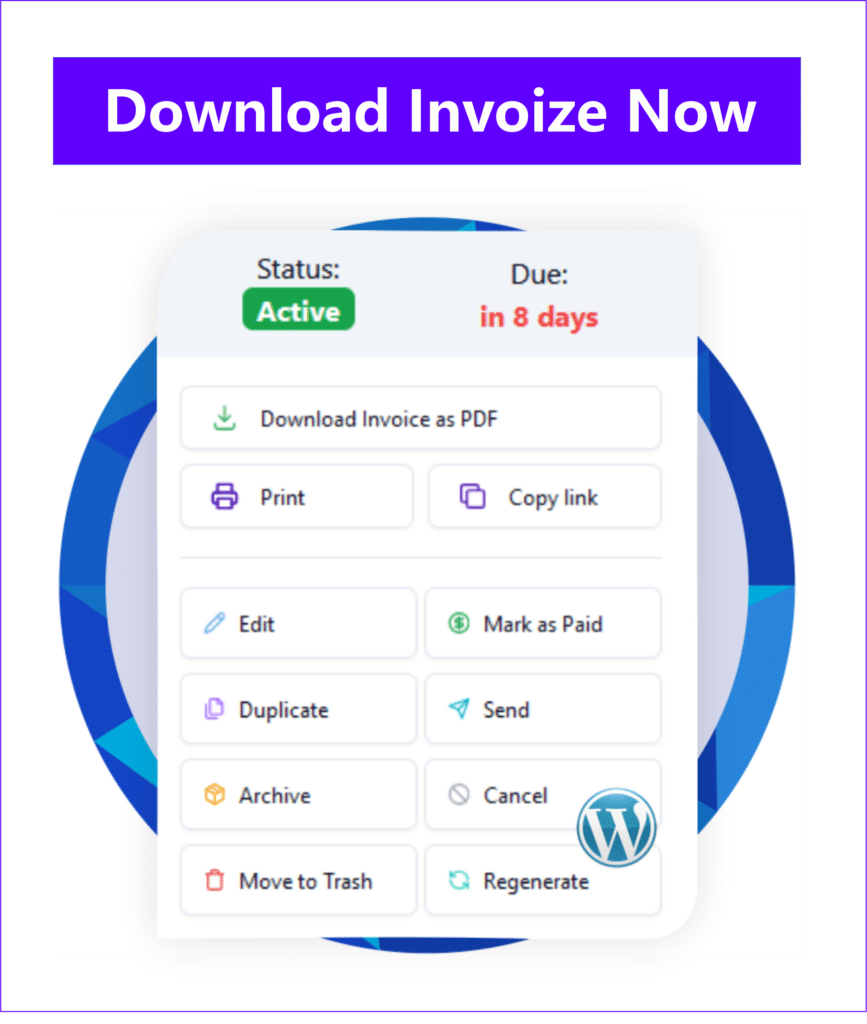
Managing recurring invoices is equally as simple. The plugin’s dashboard typically allows you to view all active invoices, filter them by client or status, and make adjustments as necessary. If you need to change the amount or frequency of an invoice, you can usually do so with just a few clicks. Additionally, many plugins provide options for archiving or deleting invoices, helping you maintain an organized invoicing system. This level of management ensures that you have complete control over your invoicing processes and can swiftly respond to any changes or client requests.
Automating Recurring Invoicing Processes
Automation is one of the most powerful features of recurring invoicing, allowing businesses to streamline their billing processes significantly. By setting up automated invoicing, you can eliminate the repetitive task of manually creating and sending invoices each billing cycle. Once you have configured the necessary settings in your invoicing plugin, the system will automatically generate invoices based on your designated schedule, ensuring that you never miss a billing date.
Most invoicing plugins also offer automated payment reminders, which further enhance the efficiency of your invoicing process. These reminders can be set to notify clients days or weeks before their payment is due, ensuring they are well-informed and prepared to pay. This proactive approach can lead to improved payment timelines and reduced instances of late payments, ultimately benefiting your cash flow.
Moreover, many plugins provide features for automated reporting and analytics. This allows you to gain insights into your invoicing performance without the need for manual tracking. You can analyze metrics such as payment history, outstanding invoices, and revenue trends over time. Leveraging these insights can help you make informed decisions about your business and adjust your invoicing strategies as needed, contributing to overall growth and efficiency.
Monitoring and Tracking Recurring Invoices
Monitoring and tracking your recurring invoices is essential for maintaining an organized billing system. Most invoicing plugins provide dashboards that allow you to view the status of all your invoices at a glance. You can quickly identify which invoices have been paid, which are pending, and any that may be overdue. This level of visibility helps you stay on top of your billing cycle and ensures that you can follow up with clients promptly when necessary.
In addition to invoice status, tracking payment history is crucial for understanding your cash flow. Many plugins offer detailed reporting features that allow you to analyze payment patterns over time. This analysis can reveal trends, such as peak payment periods or common delays, enabling you to take proactive measures to address potential issues. By keeping a close eye on your invoicing metrics, you can make data-driven decisions to improve your billing processes.
Furthermore, some plugins offer integration with accounting tools, allowing for seamless data transfer between your invoicing system and your financial records. This integration ensures that your financial data is always up-to-date, reducing the risk of discrepancies and enhancing your overall financial management. By monitoring and tracking your recurring invoices effectively, you can maintain a healthy financial position and foster positive relationships with your clients.
Handling Exceptions and Modifications in Recurring Invoices
While recurring invoicing offers a streamlined process, there may be occasions when exceptions or modifications are necessary. It’s important to have a clear system in place for handling these situations to ensure that your invoicing remains accurate and transparent. For instance, if a client requests a change in the billing amount or frequency, most invoicing plugins allow you to easily edit existing invoices to accommodate these requests.
In cases where a client may want to pause their subscription or temporarily halt their payments, it’s crucial to have clear communication with them. Many plugins provide options to suspend invoices without completely deleting them, maintaining the client’s information for future billing cycles. This flexibility allows you to manage your client relationships effectively while still utilizing the automation features of your invoicing system.
Additionally, keeping detailed records of any modifications or exceptions is essential for maintaining transparency and accountability. Many invoicing plugins automatically log changes made to invoices, providing a history of edits and adjustments. This feature can be incredibly helpful for resolving any disputes or questions that may arise regarding billing. By establishing a systematic approach to handling exceptions and modifications, you can ensure that your invoicing process remains efficient and client-friendly.
Conclusion and Final Thoughts
Creating and managing recurring invoices with WordPress can transform your invoicing process, making it more efficient and automated. By leveraging the right tools and plugins, you can streamline your billing operations, reduce administrative workload, and improve cash flow predictability. The benefits of recurring invoicing extend beyond mere convenience; they foster stronger client relationships and contribute to overall business growth.
As you embark on your journey to implement recurring invoicing, remember to carefully select the right invoicing plugin that aligns with your specific needs. Take the time to configure the settings to match your business model, and don’t hesitate to customize invoices to reflect your brand. With effective monitoring and tracking, you can stay on top of your invoicing processes, ensuring that your financial management remains robust.
Finally, be prepared to handle exceptions and modifications as they arise. By maintaining clear communication with your clients and keeping detailed records, you can navigate any changes smoothly. Embrace the power of automation and enjoy the peace of mind that comes with knowing your invoicing system is running efficiently. With these strategies in hand, you can focus on what truly matters—growing your business and serving your clients effectively.